A few things to pack.
Cable Cars is a Create addon for Minecraft Java Edition 1.21.1. You’ll need the following installed before you set off.
| Requirement | Version |
|---|---|
| Minecraft Java Edition | 1.21.1 |
| Java | 21 |
| NeoForge | 21.1.219+ (built against 21.1.265) |
| Create | 6.0.10, below 6.1 |
- Install NeoForge for Minecraft 1.21.1 and launch it once.
- Install the compatible version of Create and its required dependencies.
- Download Cable Cars v0.1.0 and put the jar in your instance’s
modsfolder. - For multiplayer, install the mod on both the server and every client. Restart the game.
Playing All the Mods 10?Built and tested against ATM10 8.4, with NeoForge 21.1.265 and Create 6.0.10. Common recipe tags work with the pack’s unified materials. Items appear in JEI. English and German translations are included.
Build a line.
One endless haul rope loops between two terminal bullwheels. Cable Posts support the rope along the way. Powering either terminal drives the entire line as one Create kinetic network.
Choose your gauge
The two bullwheels must be the same size. Their size sets the distance between the strands and the width of cabins that can pass safely.
| Bullwheel | Footprint / gauge | Max cabin width | Past posts |
|---|---|---|---|
| Standard | 3 × 3 / 3 blocks | 3 blocks | 2 blocks |
| Large | 5 × 5 / 5 blocks | 5 blocks | 4 blocks |
| Huge | 7 × 7 / 7 blocks | 7 blocks | 6 blocks |
- Place two matching Bullwheels at your terminals. Heights may differ. Neighbouring wheels and posts can be up to 256 blocks apart by default.
- Power one Bullwheel with a shaft, preferably from above. Cabins swing underneath the wheel and cross its centre line. Keep all the space below it clear, down past the cabin floor.
- Add Cable Posts on towers wherever the route needs support or a bend. The rope runs over the post’s sheaves at the centre of the post block. A post can turn the line up to 150°.
- Right-click the first Bullwheel with Haul Rope, then click the posts in order, then the second Bullwheel. One Haul Rope item makes 16 blocks of rope, counting both strands of the loop. A straight 100-block line needs 14 items.
Give corners room.The curve around a post has a radius of one gauge. Leave straight rope on both sides of the bend. Haul Rope tells you when supports are too close for a curve.
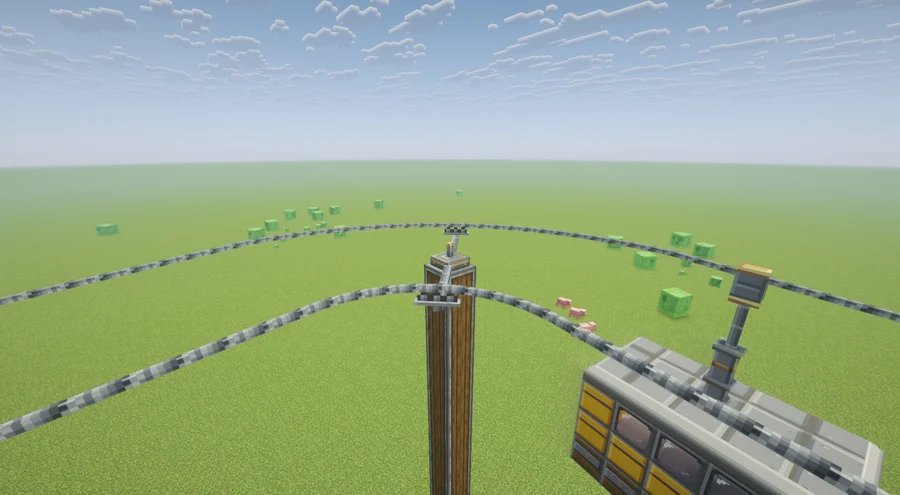
Build a cabin.
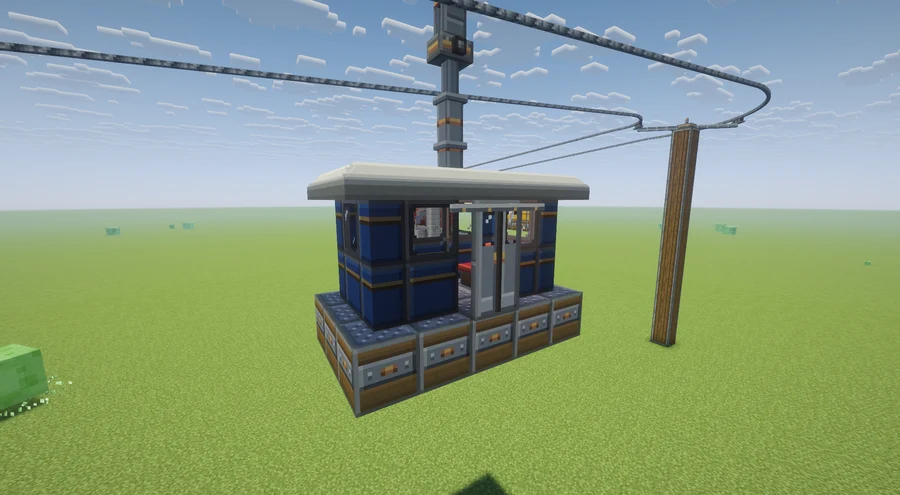
- Lay a floor of Gondola Base blocks directly beneath the rope. Build your walls, roof, seats, and hanger above it. Stay within your line’s cabin width, including the narrower limit when passing posts.
- Add a hanger and, optionally, a Cable Grip. Put the grip near the rope, usually in the block below the bullwheel layer. Its jaws align with the rope, and the cabin turns around that attachment point.
- Keep the cabin separate from the station. Everything attached above the floor becomes part of the gondola. Blocks level with the floor stay behind unless they are Gondola Bases. Blocks below the floor only come along if super-glued.
- Right-click the Gondola Base with an empty hand, or send it a redstone pulse. The floor and connected build lift onto the rope and start moving. The cabin shifts half a block sideways to centre itself on the rope.
Grips that meet the rope
On a sloping stretch, the grip’s jaws may sit up to a block above or below the rope. When you assemble the cabin, it lifts or lowers onto the rope and the grip turns to follow its direction. Disassembling at the build location still returns the cabin to its original blocks.
No grip? There’s still a way up.
A cabin without a grip, or with a grip too far below the rope, gets a steel hanger rod and clamp automatically. The rod reaches from the highest part of the hanger over the middle of the floor to the rope, keeping the cabin at the height where you built it.
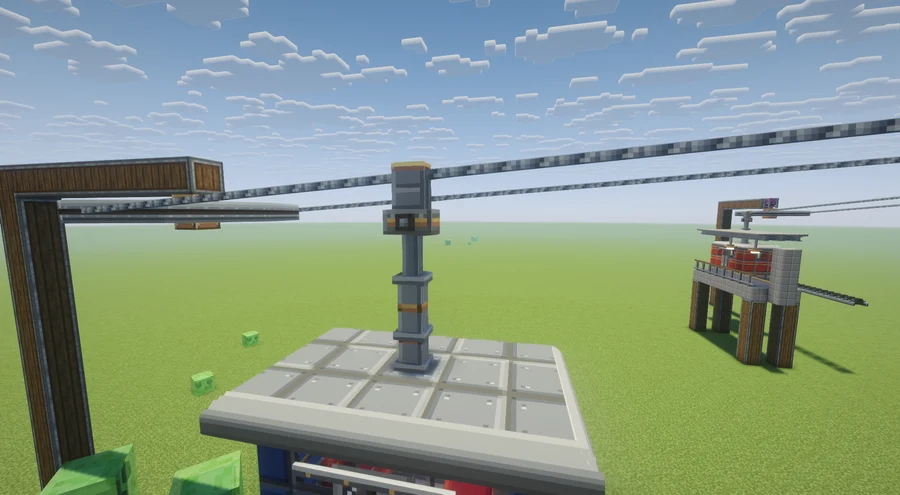
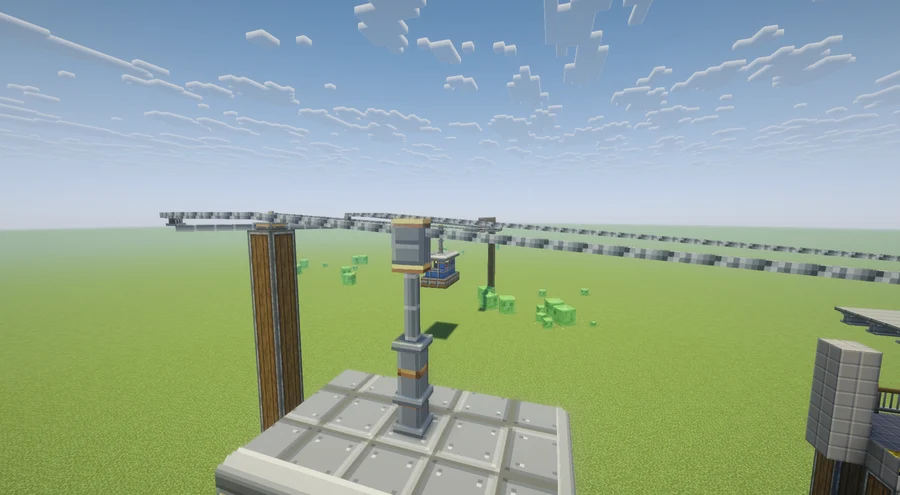
Cabins are Create contraptions. Passengers can stand inside or sit on Create seats, including the Cabin Bench. Super glue, storage, and actors work as on other Create contraptions.
Building a 3 × 3 cabin?Use a Large Bullwheel line if the route has Cable Posts: its 5-block gauge permits cabins up to 4 blocks wide past posts. Standard Bullwheels allow only 2-block-wide cabins past posts.
Keep it moving.
Speed and power
The rope moves at the bullwheel’s rim speed. On a standard wheel, 16 RPM is about 2.5 blocks per second; 32 RPM is about 5. Bigger wheels move the rope faster at the same RPM and cost more stress. Rope speed is capped at 12 blocks per second by default.
Power one terminal, or drive both from the same network. Different speeds conflict like any other Create kinetic network. Each standard Bullwheel costs 4 SU/RPM (Large ×5/3, Huge ×7/3), plus 2 SU/RPM per gondola on the first wheel.
Boarding and spacing
Gondolas slow to 25% of rope speed around each bullwheel and ease in and out over 6 blocks. Several gondolas can circulate together on both strands. Each waits if it would come within its spacing of the one ahead: at least 8 blocks by default, and more for wide cabins. Cabins bunched up at a station spread out as they depart. Assembly is refused when a line has no room for another cabin.
Taking a cabin off the rope
Sneak-right-click the Gondola Base with an empty hand while the cabin is in a station or the rope is stopped. Taken off where it was built, it lands on its original blocks. Elsewhere, it is rounded to the block grid and a quarter turn.
Long journeys and unloaded terminals
Lines and gondola positions are saved per dimension. If a drive terminal unloads, the rope retains its last speed. When both terminals load again, the rope-driven wheel takes the drive wheel’s current speed. A moving gondola loads chunks along the next 24 blocks of its route; server owners can switch this off.
Breaking a Bullwheel or Cable Post takes the rope down and returns it. Gondolas stop where they are and can then be disassembled.
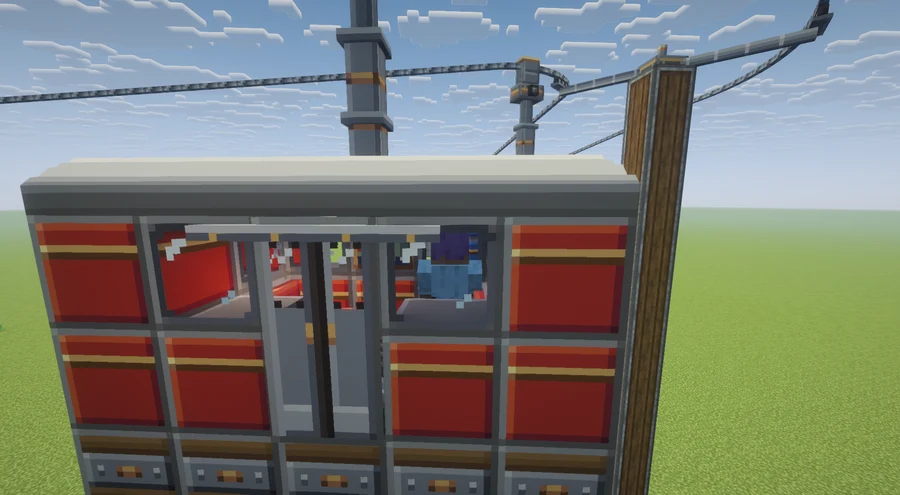
Doors that greet you.
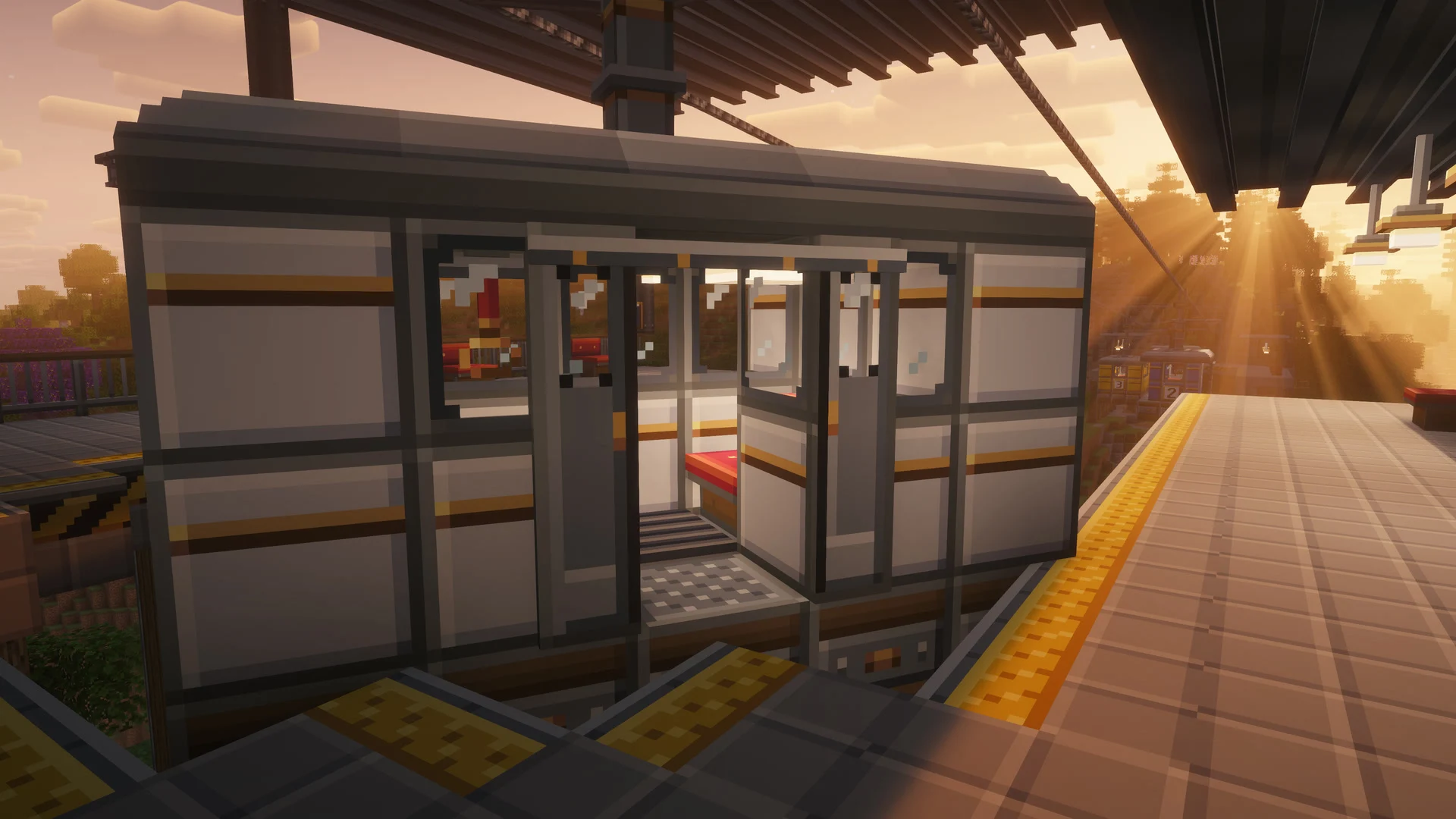
A Gondola Door opens automatically when aStation Platform Edge is in front of it at floor level, directly in front or one block further out. It works both while the cabin is standing at a platform and while a moving gondola passes one. The leaves slide apart along the outside of the cabin, leaving only a thin sill to step over.
- Stack two Gondola Doors to make a full doorway; the upper block becomes the glazed half.
- Place the door on the side facing the platform. Its track faces outwards, towards you when placed.
- Lay Station Platform Edges beside the cabin, level with its Gondola Base floor. Keep station blocks separate from the cabin above that level.
The door closes when the cabin leaves. A gondola turns around with the rope at each bullwheel, so an outward-facing door meets platforms on the outside of the loop at both stations.
Make it feel like home.
The Gondolas & Stations creative tab contains the pieces that bring a lift to life. Every piece can travel on a gondola.
- Inside: padded benches, wall handrails, hanging hand straps, light panels, ribbed floor mats, and route maps.
- Outside: red, blue, yellow, and white panels; windows that join into bands; thin panel and window panes; automatic sliding doors; roof slabs and rounded edges; hanger arms; and number plates from 0 to 9.
- At the station: platform tiles, safety edges, railings, roof panels, gondola signs, lamps, and tyre conveyors.
Slimmer walls, same character
Every painted body panel and the window now have a thin pane version. Six matching blocks craft into sixteen panes.They join neighbouring panes, full blocks, and doors like glass panes. The coloured panel panes can be repainted: surround a dye with eight panes.
Fittings without the gap
Station lamps, light panels, and hand straps reach half-block ceilings, including a top slab or a Station Roof placed against the underside of a block. Hanger arms reach down onto slab-high cabin roofs, too.
Browse every block and crafting recipeThe server config.
Edit serverconfig/cablecars-server.toml inside your world folder. To set defaults for new worlds, put a copy in defaultconfigs/. These settings sync to clients.
| Setting | Default | What it changes |
|---|---|---|
lines.maxSpan / minSpan | 256 / 6 | Maximum span between neighbouring supports / minimum line without posts |
lines.ropePerItem | 16 | Blocks of rope per Haul Rope item |
lines.maxRopeSpeed | 12.0 | Maximum rope speed, in blocks per second |
gondolas.stationSpeedFactor | 0.25 | Fraction of line speed kept around a bullwheel |
gondolas.stationApproach | 6.0 | Slow-down and speed-up distance, in blocks |
gondolas.minGondolaSpacing | 8.0 | Minimum distance between cabins |
gondolas.maxGondolaBlocks | 256 | Maximum blocks in a cabin |
gondolas.maxHangerLength | 24 | Maximum distance from floor to rope |
gondolas.gondolasLoadChunks | true | Keep chunks along a moving cabin’s route loaded |
stress.bullwheelImpact / gondolaImpact | 4.0 / 2.0 | Stress units per RPM |
Crafting recipes are plain data files and use common c: tags. A pack’s KubeJS scripts can override them.
Back on track.
“No haul rope above this Gondola Base”
Check that the floor is directly underneath a strand and no more than 24 blocks below the rope. A Cable Grip is optional: gripless cabins get a steel hanger rod and clamp automatically. For an explicit grip to close around the rope, its jaws must be within one block vertically of it.
“Gondola has more than 256 blocks”
Your cabin may be touching its station above floor height. Leave a gap around the walls and roof. The maximum cabin size is configurable.
The rope won’t connect
Use matching Bullwheel sizes. Check the 256-block span limit, the 150° turn limit, and enough straight rope before and after each bend. Bring enough Haul Rope for both strands.
Cabins clip into posts or each other
Check the gauge table above. A cabin passing a Cable Post must be at least one block narrower than the gauge. Check the full cabin width, including decorations.
The lift is overstressed or the wheels disagree
Increase Create power capacity or reduce the speed and number of cabins. Drive only one terminal, or power both from the same kinetic network.
A little help from your goggles.Engineer’s Goggles show rope speed, loop length, and posts alongside Create’s stress information. Hold Shift over an item to read its Create-style tooltip.